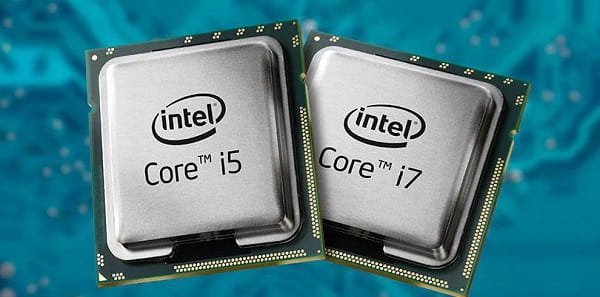
When shopping for a used or budget laptop, two configurations come up repeatedly: one powered by an Intel Core i5 from the 6th generation (Skylake), and another carrying an i7 badge from the 4th generation (Haswell). The i7 sounds better — after all, 7 is greater than 5. But processor generations matter just as much as tier names, and in this matchup, the answer is far more nuanced than the numbers suggest.
What Do “i5” and “i7” Actually Mean?
Intel’s processor lineup is organized by both tier (i3, i5, i7) and generation (4th, 6th, etc.). A higher tier generally means more cores, higher clock speeds, and Hyper-Threading. But a newer generation brings architectural improvements, better power efficiency, and updated instruction sets — regardless of tier.
The 4th generation (Haswell, 2013) and 6th generation (Skylake, 2015) are two full architectural steps apart. That two-year gap may seem small, but Intel made significant engineering strides in this period, particularly in power consumption and integrated graphics.
Which One Is Actually Faster?
On paper, the i7-4700MQ or i7-4710HQ found in many 4th gen laptops boast four cores with Hyper-Threading (8 logical threads) and base clocks around 2.4–2.5 GHz. That’s a respectable amount of processing power.
The i5-6200U or i5-6300HQ — common 6th gen i5 models — typically offer two cores (or four in the HQ variant) at similar or slightly higher frequencies, but with a more refined architecture.
In multi-core workloads, a 4th gen i7 quad-core will often match or edge out a 6th gen i5 dual-core. Tasks like video rendering, batch file conversion, or running virtual machines can still make the older i7 shine due to its additional threads.
However, in single-core performance — which matters most for everyday tasks, web browsing, and most apps — the 6th gen i5 pulls ahead, thanks to IPC (instructions per clock) improvements in the Skylake architecture.
Verdict: For everyday use, the i5 6th gen wins. For heavy multi-threaded workloads, the i7 4th gen quad-core holds its own.
Battery Life: Which Lasts Longer?
This is where the 6th generation makes a decisive leap. Skylake was built on Intel’s 14nm manufacturing process, a major step down from Haswell’s 22nm. The result is dramatically lower power consumption for similar — or better — performance.
A 6th gen i5 U-series chip (like the i5-6200U) has a TDP of just 15 watts, while a 4th gen i7 HQ processor runs at 47 watts. In real-world usage, this translates directly into battery life. A Skylake-based laptop will typically last 2–3 hours longer on a charge compared to a Haswell i7 machine with the same battery capacity.
If portability and all-day battery life matter to you, the 6th gen i5 is the clear winner.
How Good Is the Graphics Performance?
Integrated graphics have improved substantially between generations. The 6th gen Intel HD 520 (paired with most i5-6200U chips) outperforms the Intel HD 4600 found in 4th gen i7 laptops by a meaningful margin — roughly 20–30% in typical benchmarks.
For light gaming, video playback, or creative work without a dedicated GPU, the newer architecture gives the i5 6th gen a noticeable edge. 4K video playback and hardware decoding are also handled more gracefully on Skylake hardware.
Can You Upgrade It Later?
The 6th generation introduced native support for DDR4 RAM, though many Skylake laptops still shipped with DDR3L. More importantly, Skylake’s memory controller is more efficient, and its platform supports faster NVMe SSDs over PCIe — a feature that can transform overall system responsiveness far more than the CPU difference alone.
4th gen laptops are limited to DDR3 and SATA-based storage, which caps potential upgrade paths.
So, Which One Should You Buy?
| Feature | i5 6th Gen | i7 4th Gen |
| Everyday Speed | ✅ Better IPC | Adequate |
| Multi-core Tasks | Dual-core lags | ✅ More threads |
| Battery Life | ✅ Much better | Power-hungry |
| Integrated Graphics | ✅ Stronger | Weaker |
| Upgrade Potential | ✅ DDR4, NVMe | Limited |
| Age & Longevity | ✅ Newer platform | Older ecosystem |
Final Verdict
For the vast majority of users — students, professionals, casual users, and anyone who values a laptop they can actually carry around — the i5 6th gen is the better choice. It runs cooler, lasts longer on battery, handles everyday tasks more efficiently, and sits on a more modern platform with better upgrade options.
The i7 4th gen earns its place in niche scenarios: workstation-replacement laptops plugged in most of the time, or users who need raw multi-threaded grunt and can sacrifice portability.
In short, don’t be fooled by the badge. A newer i5 will outrun an older i7 in the ways that matter most to most people — and that’s a lesson worth remembering every time you shop for a processor.